Out now · Windows · Microsoft Store

Idea to object.

One app for your laser, CNC and 3D printer. Design a thing, watch it come together in 3D beside the sheet it's cut from, and make it with settings that burn right the first time.

Diode & CO2 lasersCNC routers & mills3D printers

One purchase, every machine. No subscription.

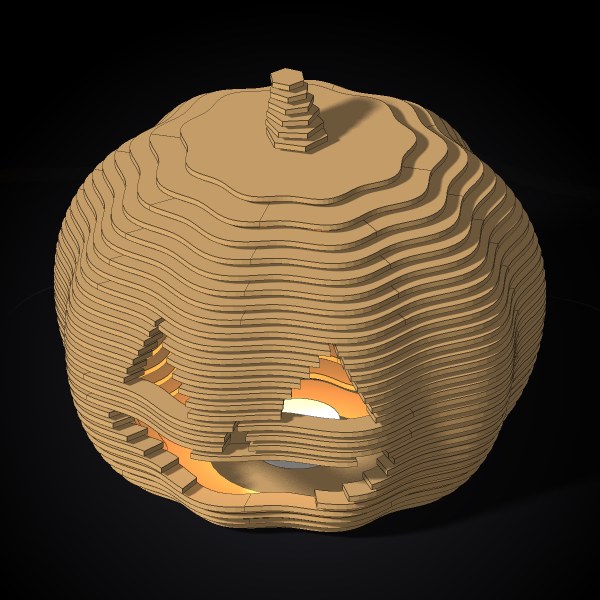
A 26-point Herrnhut star folded from vellum A balsa-style aeroplane: ribs and spars that slot together A wooden lantern with a lit winter scene A railway diorama with a train on a curve A stacked-layer jack-o'-lantern A quadcopter frame A holly wreath, layered and painted A golden-angle Christmas tree A layered mandala with a name

Herrnhut star

Rendered in AxisGlam

Feeds & speeds

Settings that burn right the first time.

The numbers are the hard part. AxisGlam measures them on your machine for your laser, and works them out from the cutter and the chart for your mill.

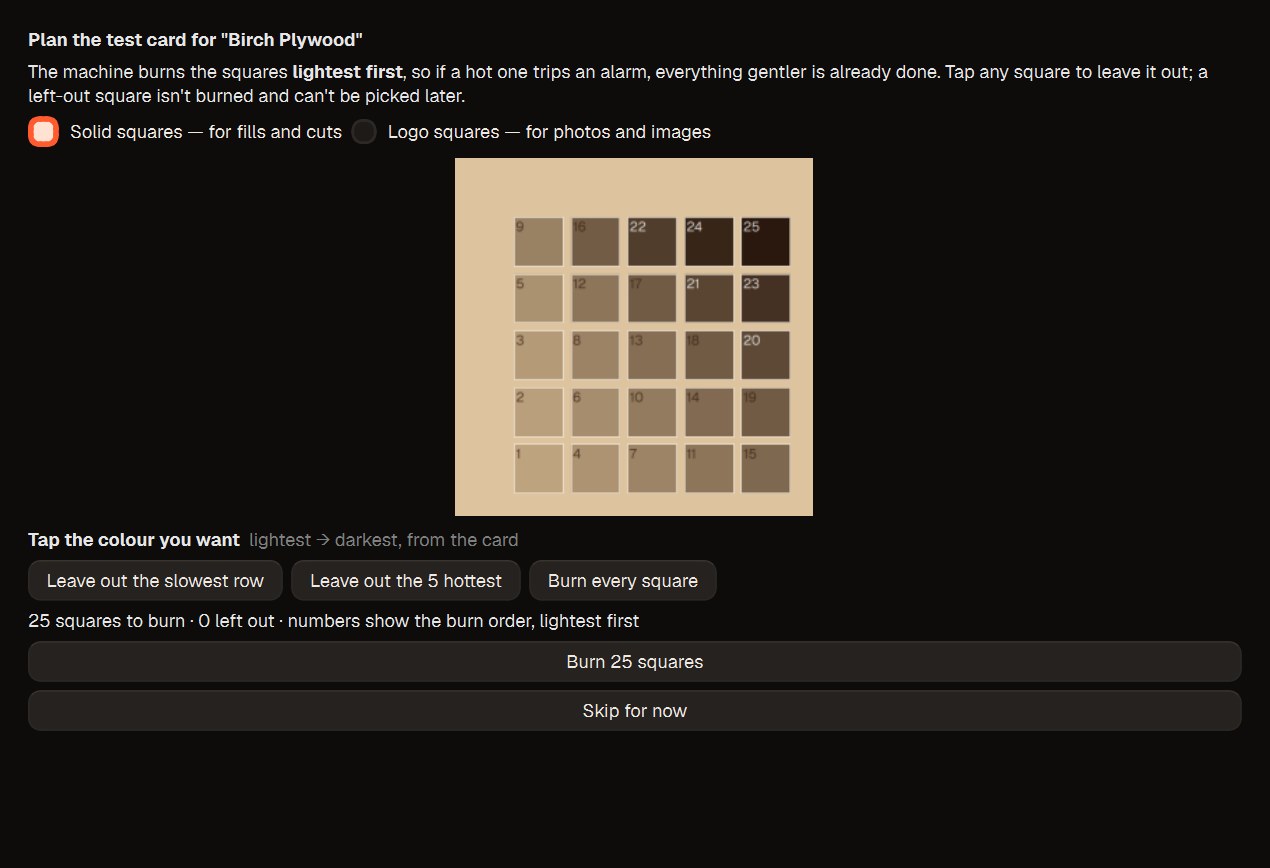
Real screenshotTest & Tune: a grid of 25 test squares planned for birch plywood, lightest first
Laser · Test & Tune

Burn a grid. Tap the square you like.

A small grid of power and speed in a corner of the sheet, burned lightest first. Pick the square that looks right and that material is measured on your machine: every job on it starts from those numbers.
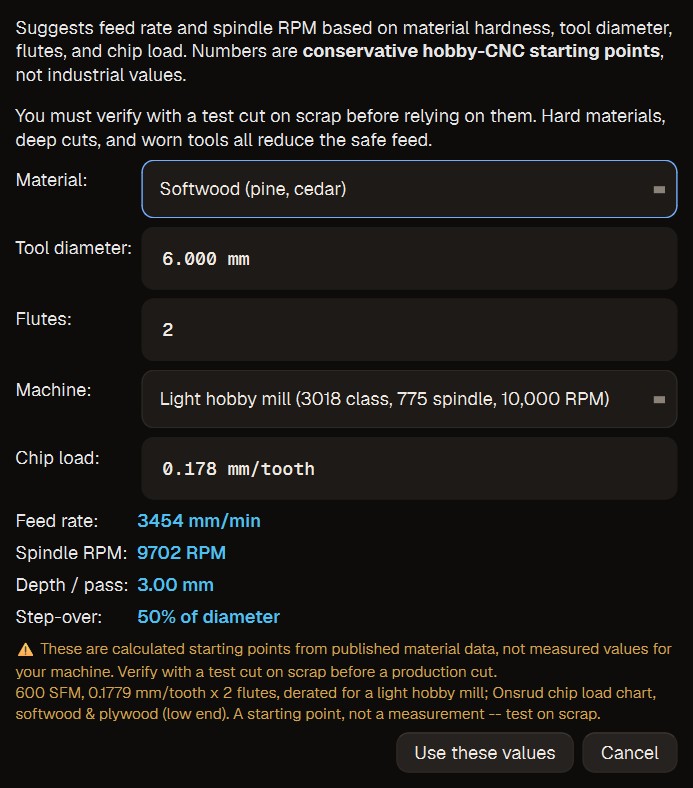
Real screenshotThe Feeds & Speeds calculator: softwood, a 6 mm two-flute cutter on a light hobby mill
CNC · Feeds & speeds

Feed, RPM, depth and step-over, worked out.

Choose the material, the cutter and how stiff your machine is. AxisGlam suggests a starting feed, spindle speed, depth per pass and step-over, and says which chart they came from.

The app

The sheet and the thing, side by side.

Every generator lays its parts out on the sheets they'll be cut from, and shows the finished object in 3D beside them as you change it. Rotate it, tweak it, then cut.

Real screenshot AxisGlam with a Herrnhut star: its nets on four sheets, the star in 3D beside them, and its settings on the right
A 26-point Herrnhut star: the folding nets on their sheets, the star in 3D, every net checked to fold shut at the solid's own angles.

Made in AxisGlam

Start from something worth making.

Generators that work out the engineering — the slots, the tabs, the folds, the stacking — so what comes off the bed goes together.

Every picture on this page came out of AxisGlam. The app shots are screenshots; these are renders from its own Render button — designed in the app, ray-traced with real shadows, nothing modelled anywhere else. Point at one to watch it go together.

That's the app. Now you make one.

Pick a generator, change what you like, press Make — or press Render for a picture like these.

Get AxisGlam

Render

A photo of it before it exists.

Press Render in the 3D view for a ray-traced picture of what you designed, or the assembly animation of it going together. Set the light and the shadows once in Settings, and every picture matches.

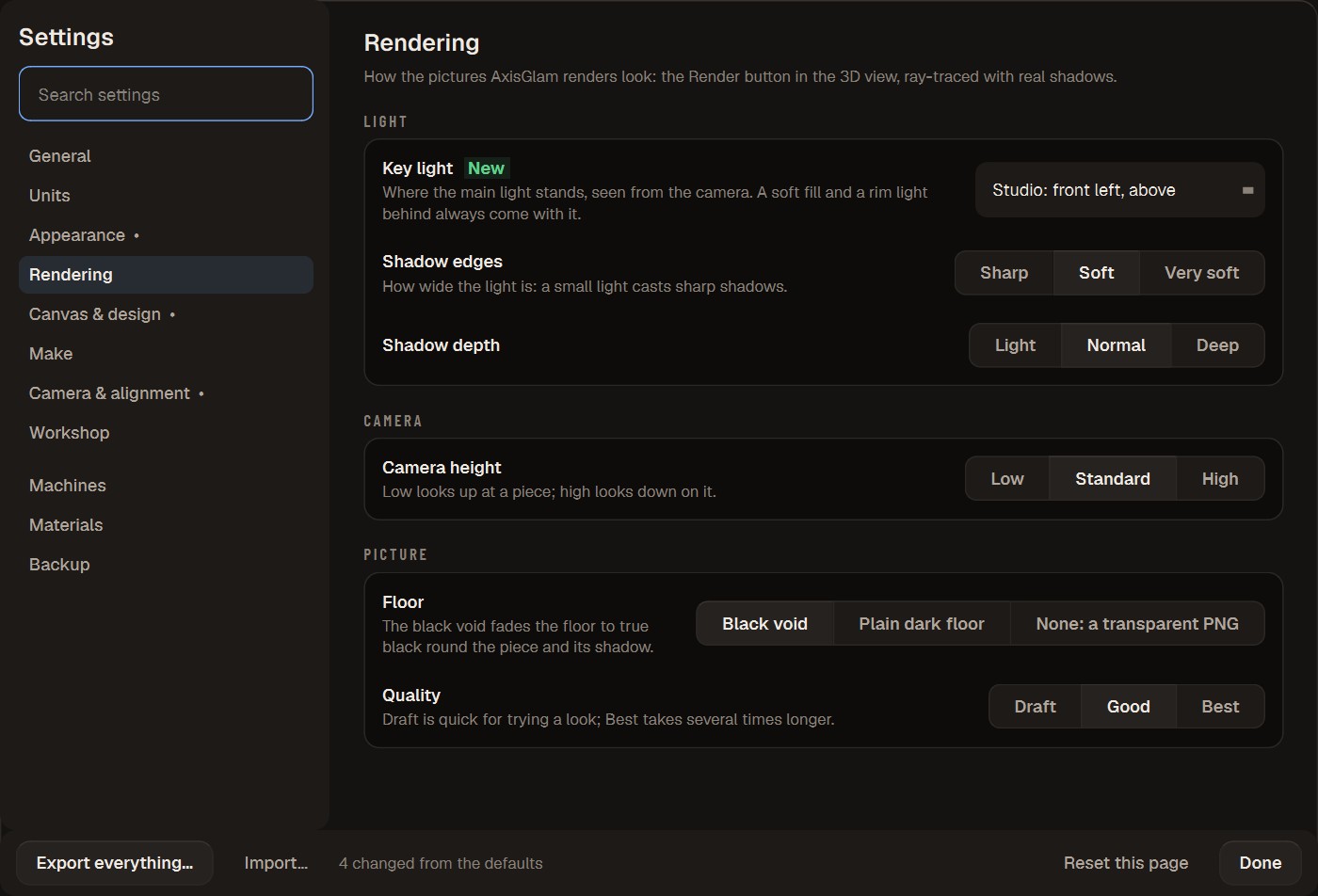
Real screenshotSettings, Rendering: key light, shadow edges and depth, camera height, floor and quality
Settings · Rendering

Light it like a studio.

A key light, a fill and a rim, and soft shadows on a floor that fades to black. Pick where the light stands, how soft the shadows are, and how high the camera sits.

Rendered in AxisGlamA ray-traced jack-o'-lantern, its candle lighting the carved face from inside
Render

Lights inside, too.

A lantern's candle lights it from within and throws its carving onto the floor. Show a customer what they're getting, or post it before the sheet is even on the bed.

From first cut to the next sheet

Made for the first five minutes, and the thousandth job.

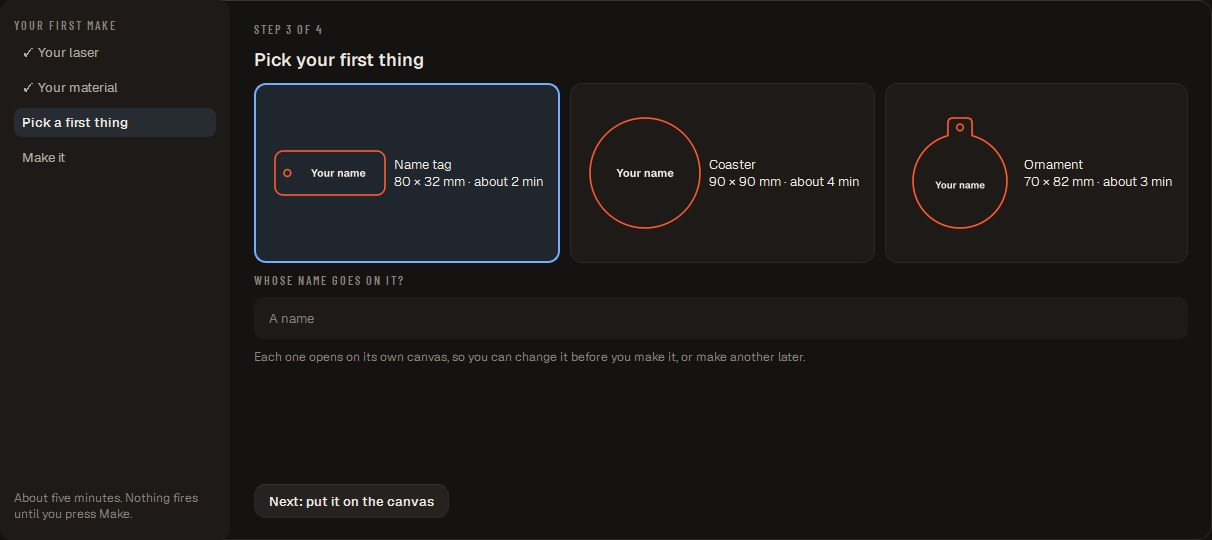
Real screenshotMake your first thing: a name tag, a coaster or an ornament

Your first make in five minutes

Your laser, a quick material test, a name tag with a name on it, and Make.

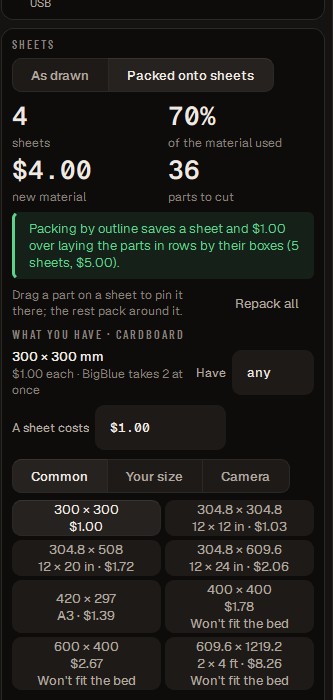
Real screenshotPacking parts onto sheets: sheets, material used, cost and the saving

Pack every part, see what it saves

Design one of each; say how many. AxisGlam packs them onto the sheets you have and tells you the cost and the sheets saved.

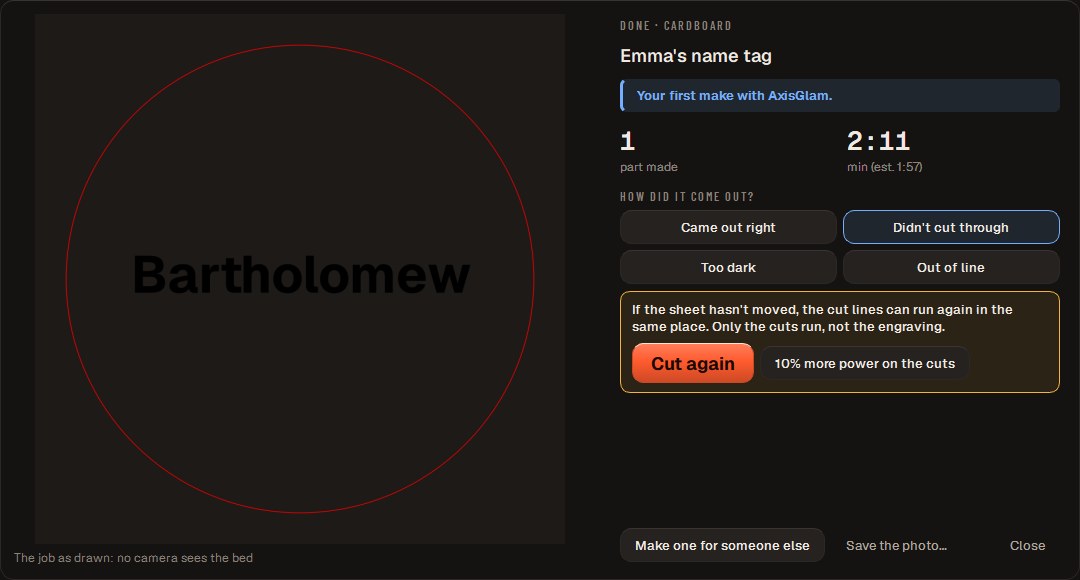
Real screenshotThe card when a job ends: what was made, the time, and how it came out

See what came off the bed

What was made and how long it took. Didn't cut through? Cut the lines again in one press, without moving the sheet.

Windows · Microsoft Store

Make something tonight.

One purchase for your laser, your mill and your printer. Updates included.

Not ready yet? One email when there's something worth knowing.